
Integration · Administrator
Configure the CMI integration
Connecting your CMI cloud environment to echo
Product: echo for TeamsUpdated: October 2026Version: 1.0
💡 This guide is optimized for PDF export. Print → “Save as PDF”, enable background graphics.
Overview
This guide describes the configuration of the CMI integration in echo. It is relevant as soon as CMI has been selected as an integration during onboarding (step 2 of the installation guide). The settings are available at any time under Settings → CMI.
Connection details
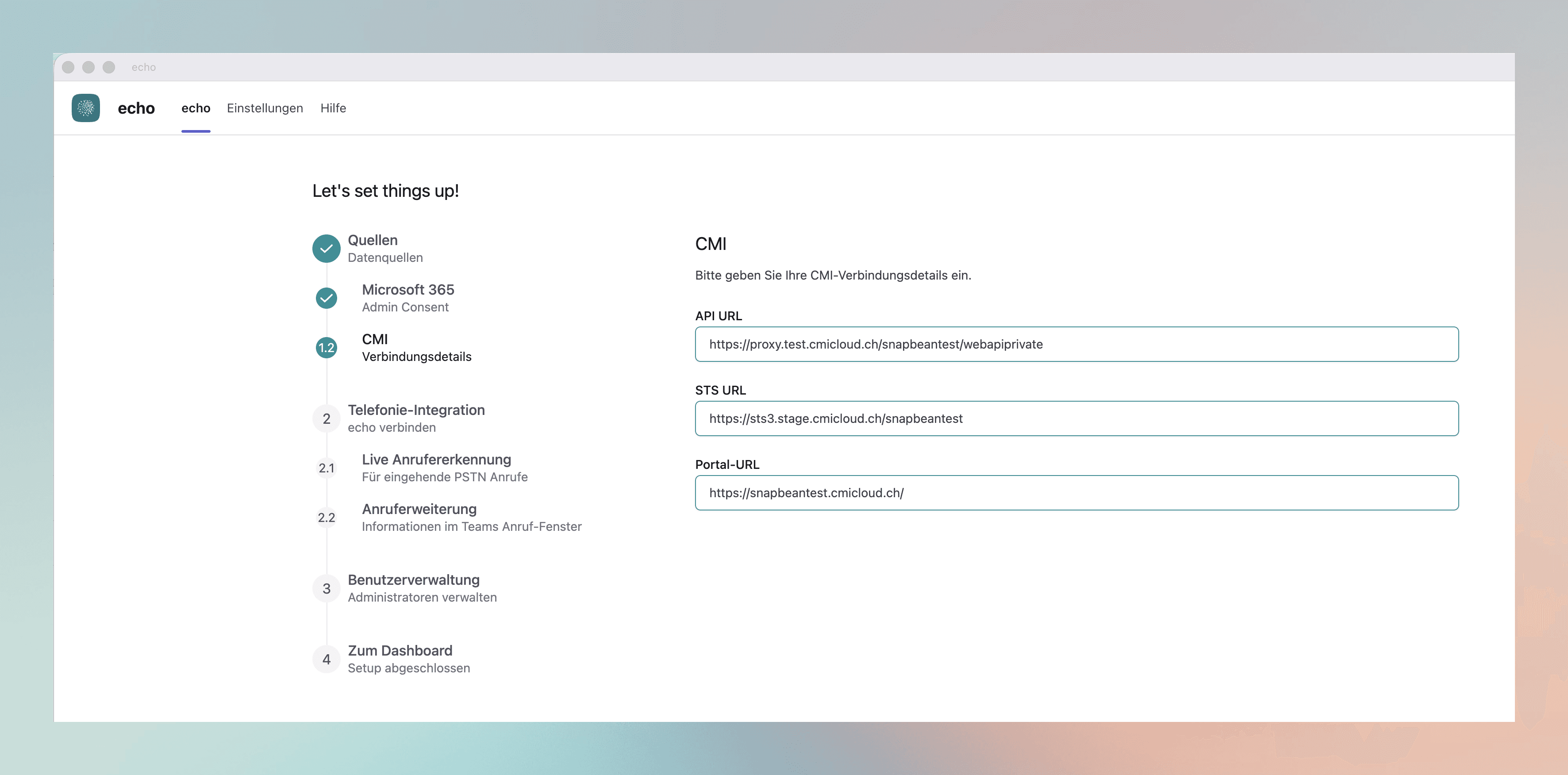
Enter the CMI connection details. You receive these from your CMI administrator or from your CMI cloud environment.
- API URL
- Endpoint of the CMI web API, e.g.
https://proxy.test.cmicloud.ch/snapbeantest/webapiprivate - STS URL
- Security token service for authentication, e.g.
https://sts3.stage.cmicloud.ch/snapbeantest - Portal URL
- Base URL of the CMI portal, e.g.
https://snapbeantest.cmicloud.ch/
NotePay attention to the exact spelling of the URLs including the protocol (
https://) and a trailing slash where applicable. Incorrect URLs prevent the connection to CMI.