
Configure the Abacus integration
Connecting the Abacus tenant and the personal user accounts
Overview
This guide describes the configuration of the Abacus integration in echo. It is relevant as soon as Abacus has been selected as an integration during onboarding (step 2 of the installation guide). The settings are available at any time under Settings → Abacus.
Two connections are required for the integration:
- Tenant connection – organization-wide, set up once by the administrator.
- User connection – personal, by each user with their Abacus account.
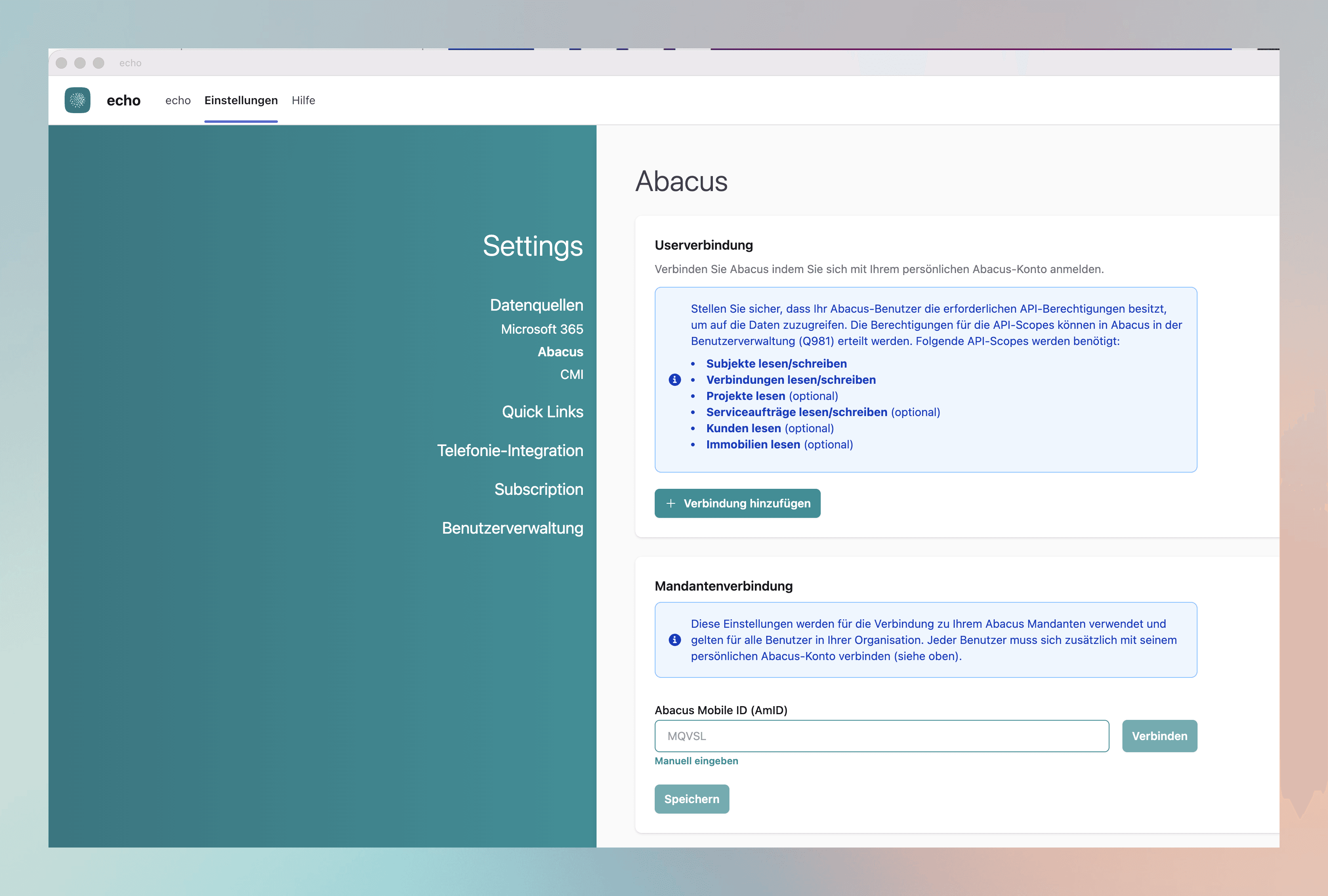
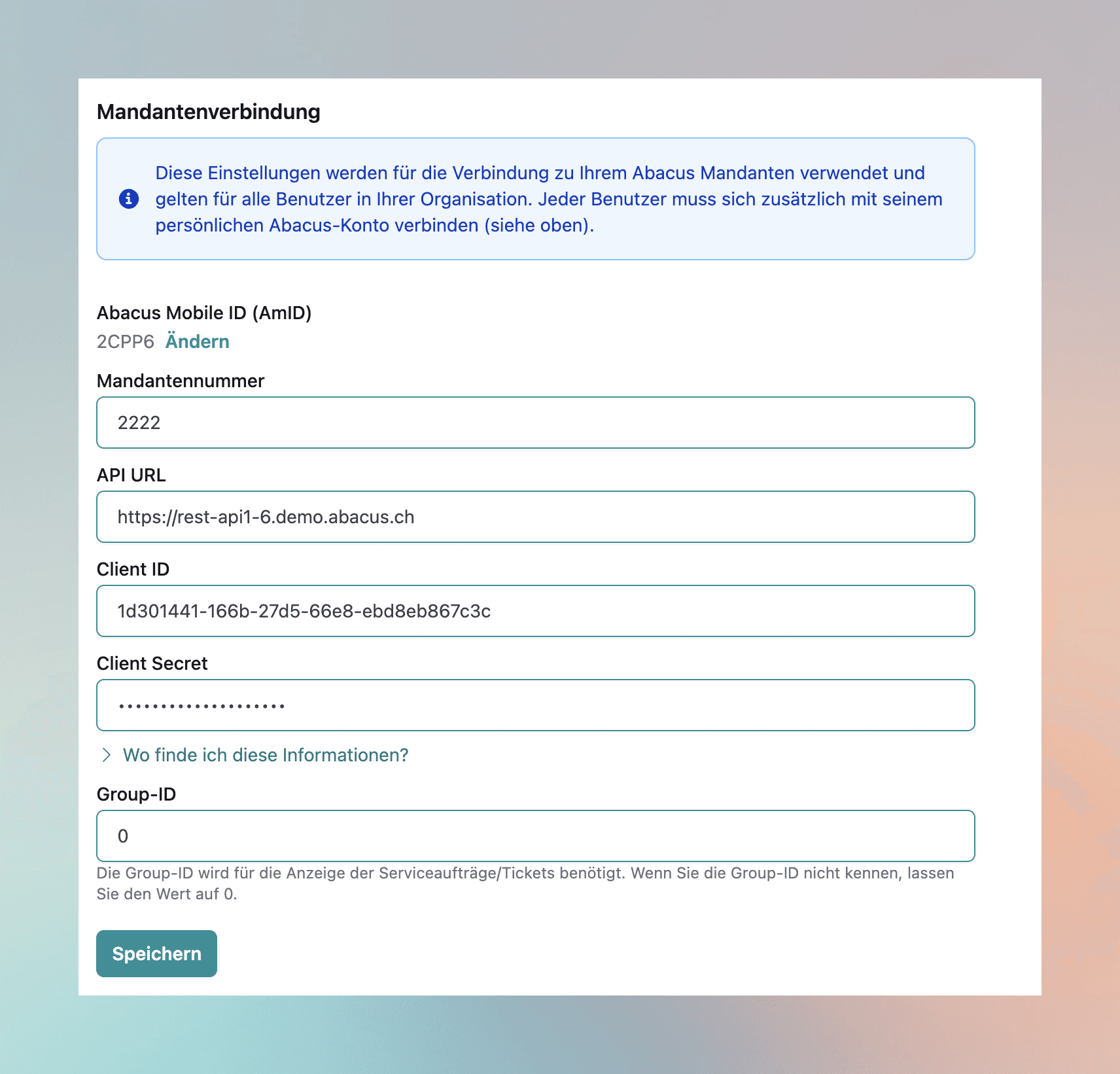
Tenant connection (organization-wide)
These settings are used for the connection to your Abacus tenant and apply to all users in your organization. Enter the following connection details:
| Field | Description |
|---|---|
| Abacus Mobile ID (AmID) | Mobile ID of your Abacus tenant. Confirm via Connect or enter it via “Enter manually”. |
| Tenant number | Number of the Abacus tenant (e.g. 1234). |
| API URL | Endpoint of the Abacus API, e.g. https://1234.demo.snapbean.ch. |
| Client ID | ID of the Abacus application registered for echo (GUID). |
| Client Secret | The associated secret key of the application. Treat it confidentially. |
| Group ID | Required to display service orders/tickets. If the group ID is unknown, leave the value at 0. |
Then save your entries via Save.
User connection (per user)
In addition to the tenant connection, each user connects with their personal Abacus account. To do so, click “Add connection” and sign in with the Abacus user.
Make sure the Abacus user has the required API permissions to access the data. These permissions (API scopes) are granted in the Abacus user administration (program O981). Required are:
- Read/write subjects
- Read/write connections
- Read projects (optional)
- Read/write service orders (optional)
- Read customers (optional)
- Read real estate (optional)
Custom reports with AbaReport
To display custom Abacus reports in the caller cockpit, configure them in Q948 AbaReport and add them in echo's optional AbaReport settings. See Configure AbaReport for credentials, input parameters and display options.